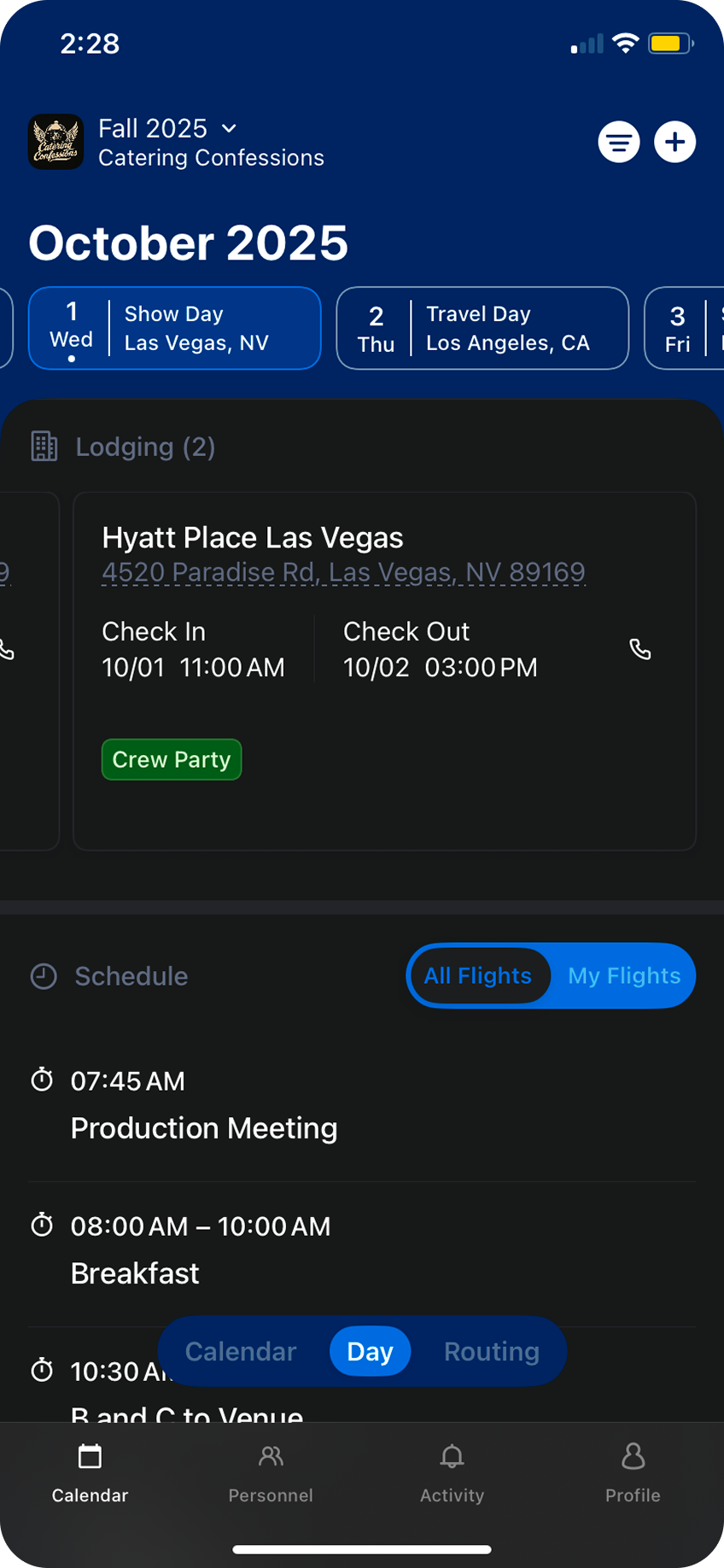
Here’s how:
Tap the
+ button in the top right and select Add Lodging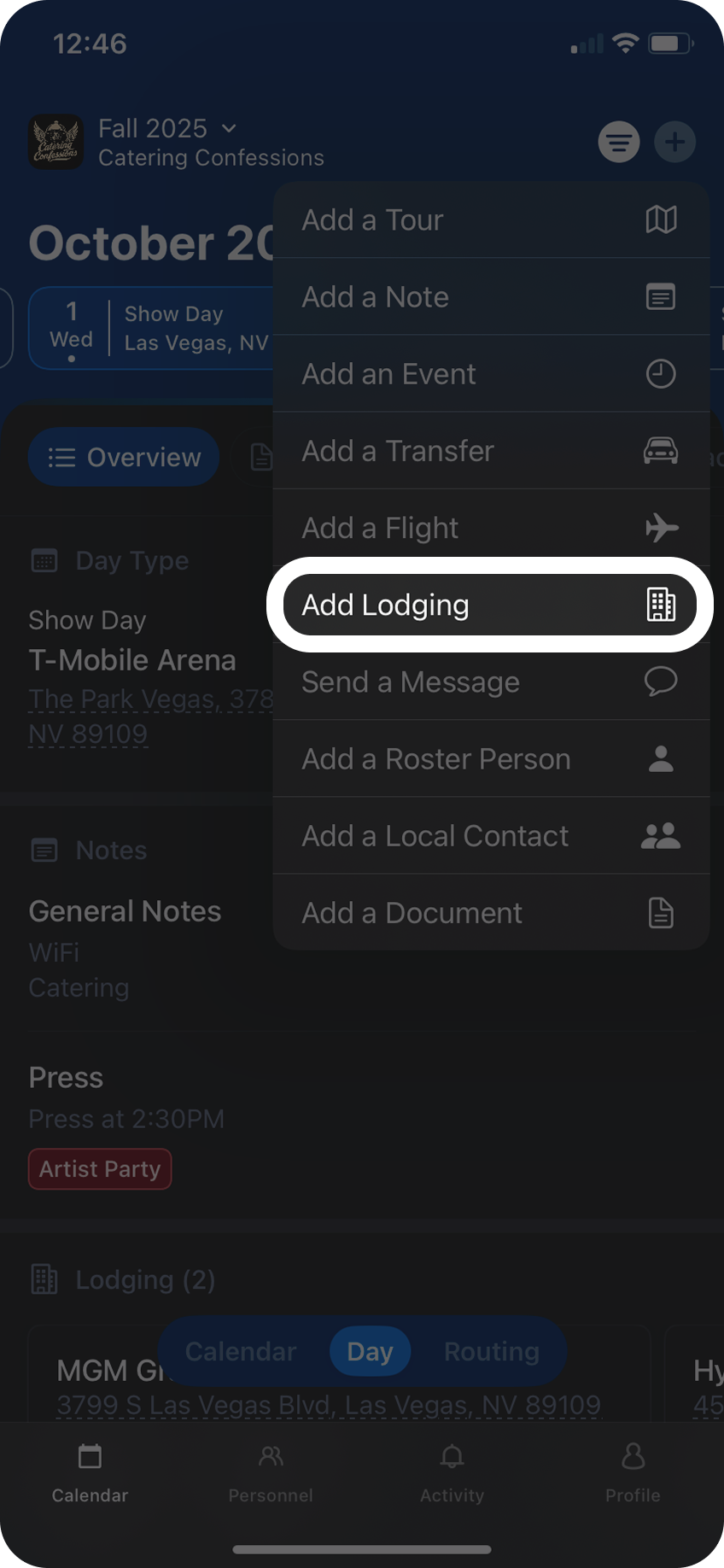
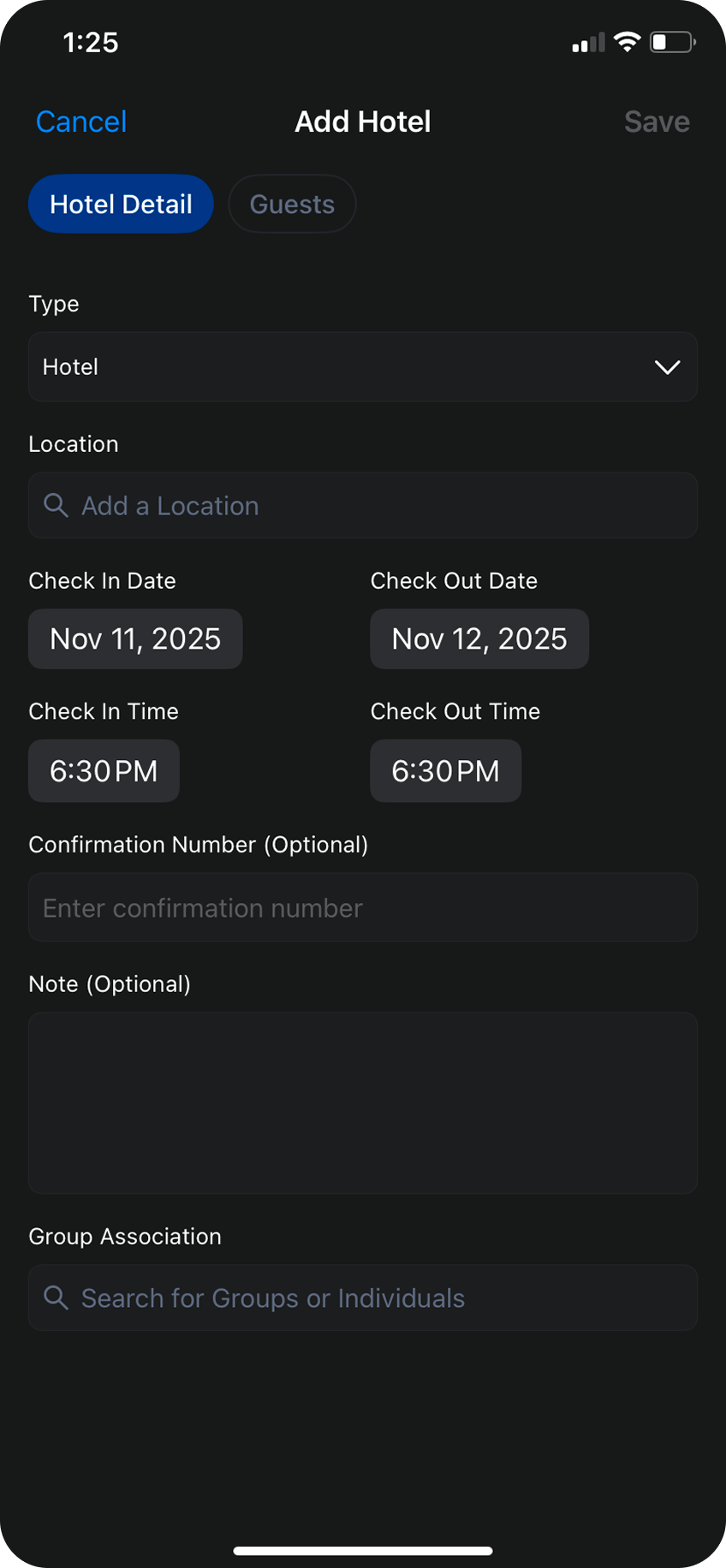
Select your lodging type: Hotel, Residence, or Rental.
Next, search for the name of the hotel or the address of the residence where you’ll be staying.
From there you can add check-in and check-out dates, and optional check-in and check-out times.You can also include confirmation numbers and notes as optional information.Use the Group Association seach bar to associate a group with this reservationd
Next, search for the name of the hotel or the address of the residence where you’ll be staying.
From there you can add check-in and check-out dates, and optional check-in and check-out times.You can also include confirmation numbers and notes as optional information.Use the Group Association seach bar to associate a group with this reservationd
To add a rooming list to this reservation, toggle to the
Guests tab and search for individual(s) in the search bar. As you add personnel to the rooming list you can include room numbers, room types, and additional notes.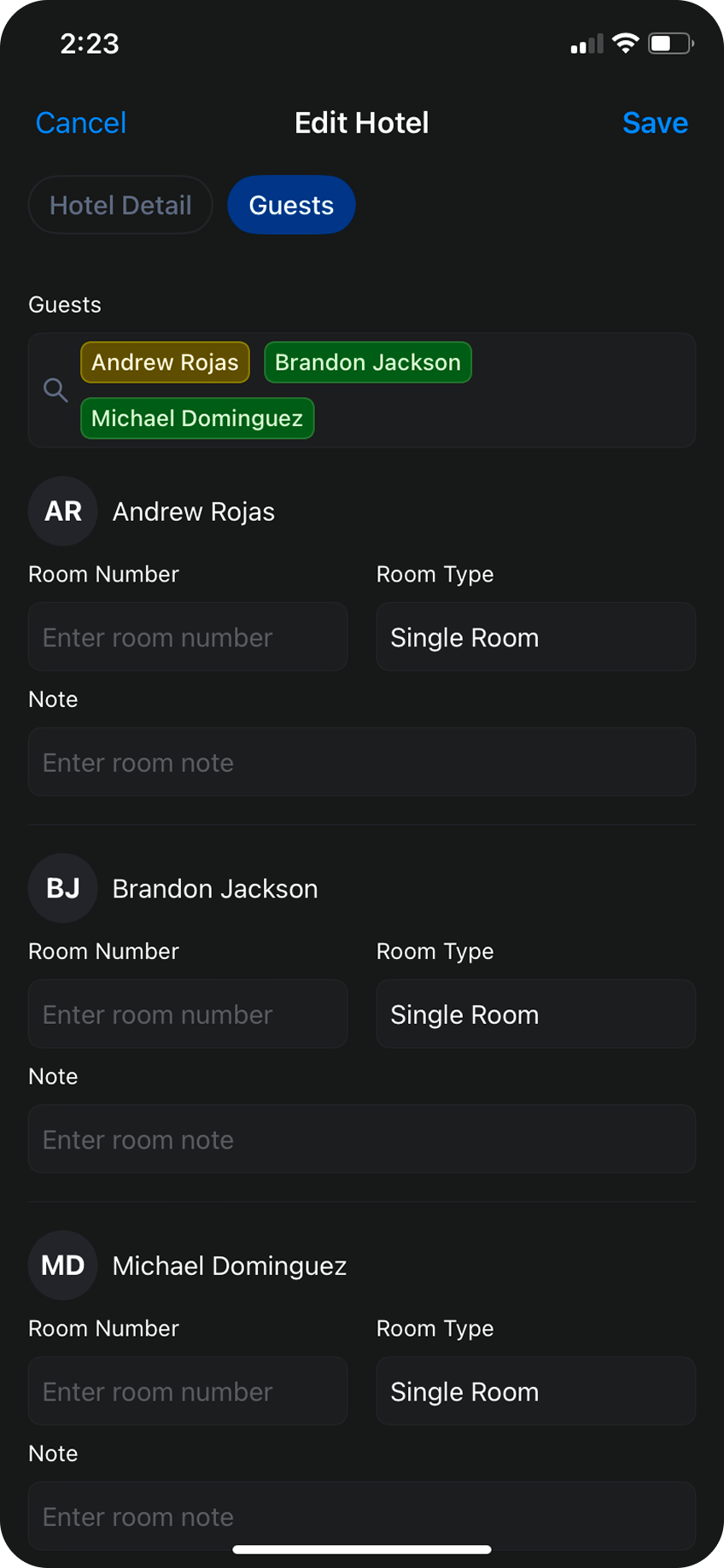
Hit
Save, and your lodging is now live in Daysheets for the rest of the team to see.