

To get started, click on the
+ button in the top right corner and choose Send a Message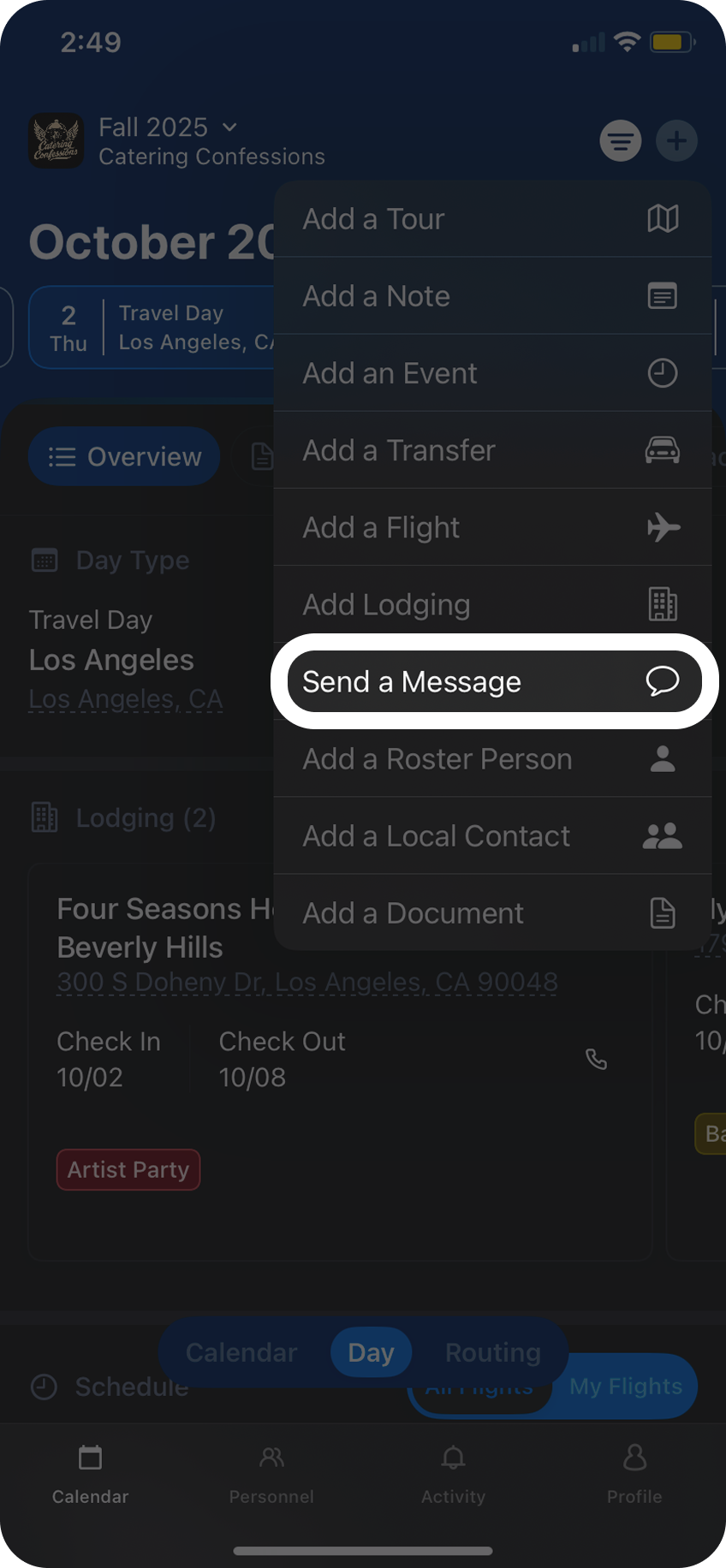
From here, select which individuals or group you want to receive your message . You can also select
All which will send your message to everyone on the tour.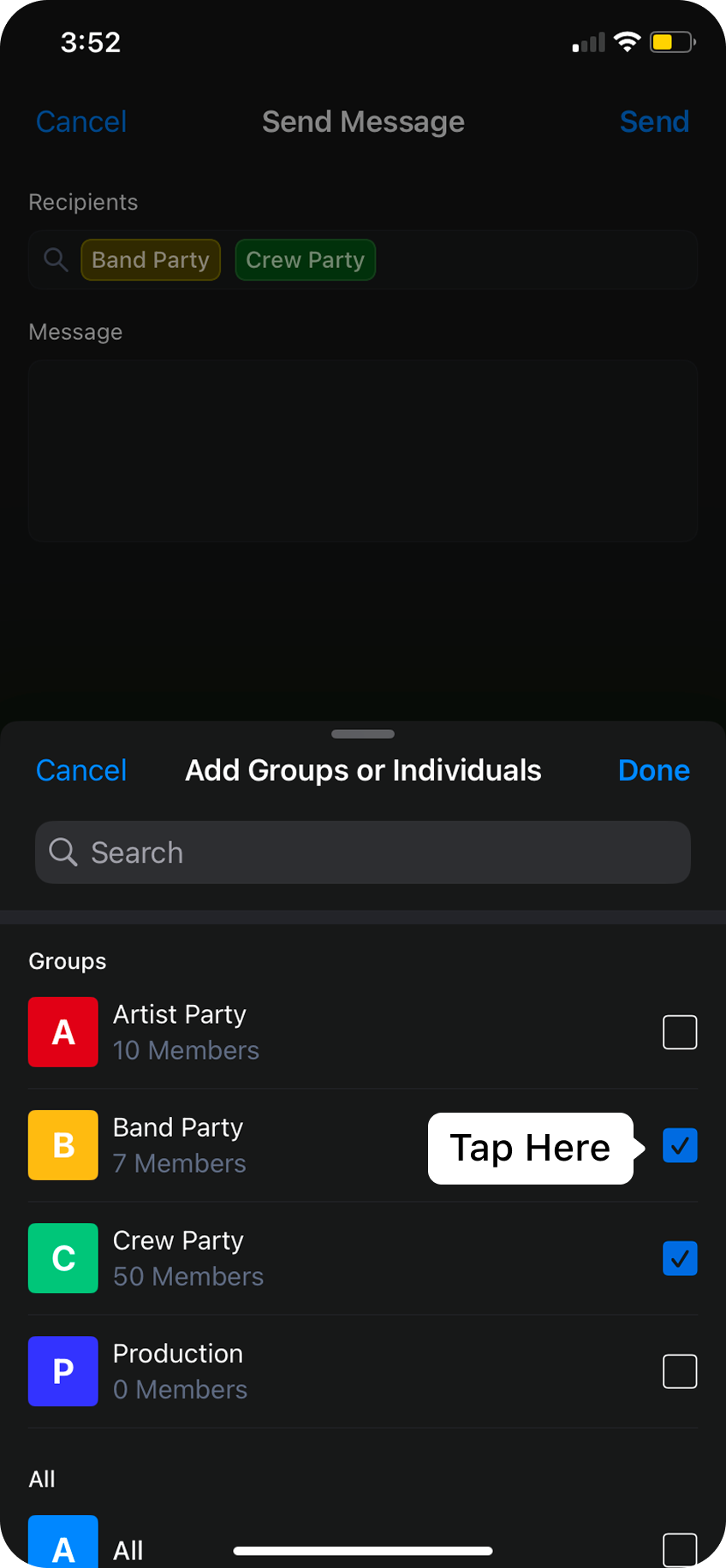
Next, type in the message you want to send to the selected recipients.
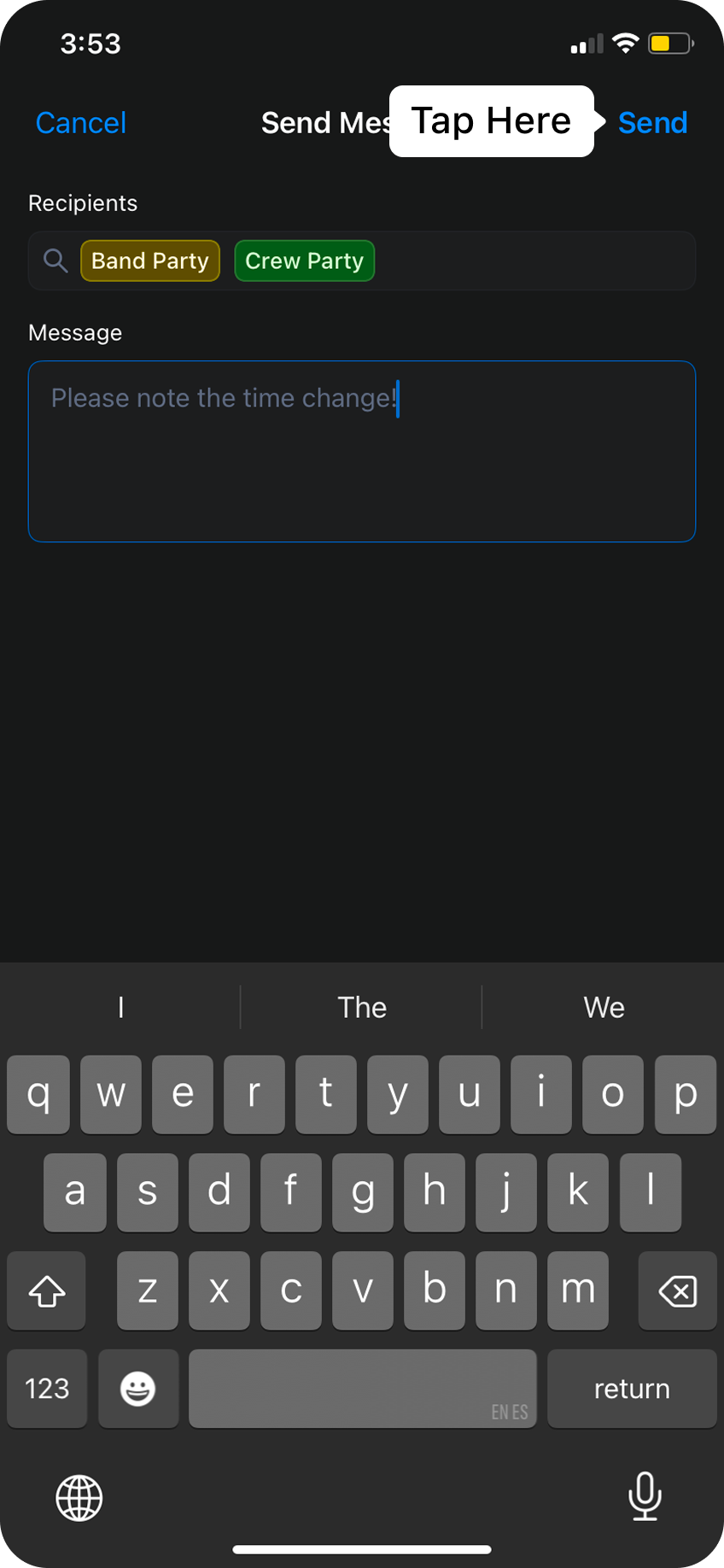
Send in the top right, any personnel members that are connected to the tour and were selected as a recipient will receive a push notification with your message!